
No edit summary |
No edit summary |
||
| Line 1: | Line 1: | ||
[[File:GameShark Saturn.jpg|thumb|right|160px|GameShark cartridge]] | [[File:GameShark Saturn.jpg|thumb|right|160px|GameShark cartridge]] | ||
The '''[[GameShark]]''' for the Sega Saturn was a [[Game Enhancer]] created by [[Datel]], but marketed in the US as the [[GameShark]] by its distributors, [[InterAct]]. This GameShark lacks code searching features unless a comms link is connected to the Saturn. Basically codes can be entered and edited. It could also be used as a region converter and a memory back-up. The GameShark came in cartridge form and fit inside the cartridge port of the console. Foreign games can be played by pressing X+Y+Z while selecting the "Start Game Without Enhancements" option. | The '''[[GameShark]]''' for the Sega Saturn was a [[Game Enhancer]] created by [[Datel]], but marketed in the US as the [[GameShark]] by its distributors, [[InterAct]]. This GameShark lacks code searching features unless a comms link is connected to the Saturn. Basically codes can be entered and edited. It could also be used as a region converter and a memory back-up. The GameShark came in cartridge form and fit inside the cartridge port of the console. | ||
Foreign games can be played by pressing X+Y+Z while selecting the "Start Game Without Enhancements" option. Version 1.90 removes the button combination requirement to play foreign games. | |||
==Screenshots== | ==Screenshots== | ||
Latest revision as of 03:05, 1 October 2015

The GameShark for the Sega Saturn was a Game Enhancer created by Datel, but marketed in the US as the GameShark by its distributors, InterAct. This GameShark lacks code searching features unless a comms link is connected to the Saturn. Basically codes can be entered and edited. It could also be used as a region converter and a memory back-up. The GameShark came in cartridge form and fit inside the cartridge port of the console.
Foreign games can be played by pressing X+Y+Z while selecting the "Start Game Without Enhancements" option. Version 1.90 removes the button combination requirement to play foreign games.
Screenshots
-
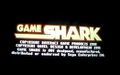
Title screen
-
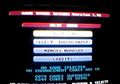
Main menu


Hardware
-
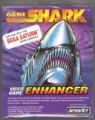
GameShark box
-

GameShark cartridge
-
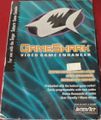
GameShark (later) box
-

Gameshark (later) cartridge


See Also
External Links
| GameShark |
|---|
| Consoles |
| PlayStation - Saturn - Nintendo 64 - Dreamcast - PlayStation 2 - GameCube - Xbox - Xbox 360 - PlayStation 3 - Wii |
| Portables |
| Game Boy - Game Boy Advance - Nintendo DS - PSP |
| Other |
| PC |